Release notes for Azure DevOps, generated automatically.
Bravo Notes is an Azure DevOps extension that turns work items into release notes, test reports and planning documents. Set up a template once, then export to PDF, HTML, Markdown, Wiki or Confluence in one click or from an Azure Pipelines task.
30 days, every feature, no credit card. The trial does not convert into a paid plan automatically.
Trusted by teams at






From work items to finished release notes
Bravo Notes creates release notes and other documents directly from your Azure DevOps work items. Stop copying and pasting between Azure DevOps, Word and email.
Load the work items for a release from a query, a build, a sprint or a backlog selection. Bravo Notes sorts them into sections like new features and fixed bugs and exports the result as PDF, HTML or Markdown.
How Bravo Notes works
Three steps inside Azure DevOps. The template and its rules are saved, so the next release is the same three steps again.
Step 1
Add work items
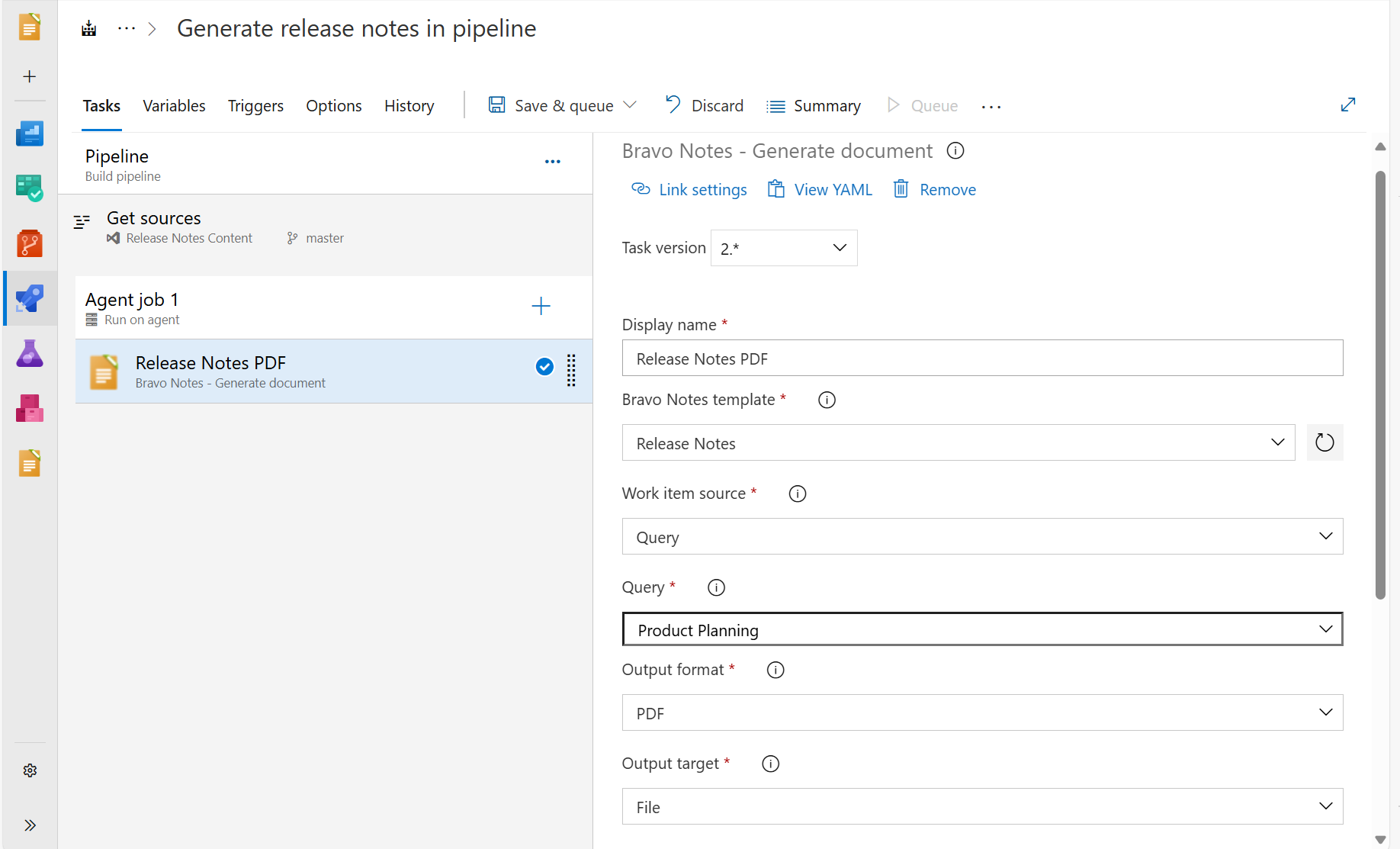
Pick a saved query, a build or release, a sprint, or select items on the backlog. In a pipeline, the build task loads them for you.
Step 2
Apply a template
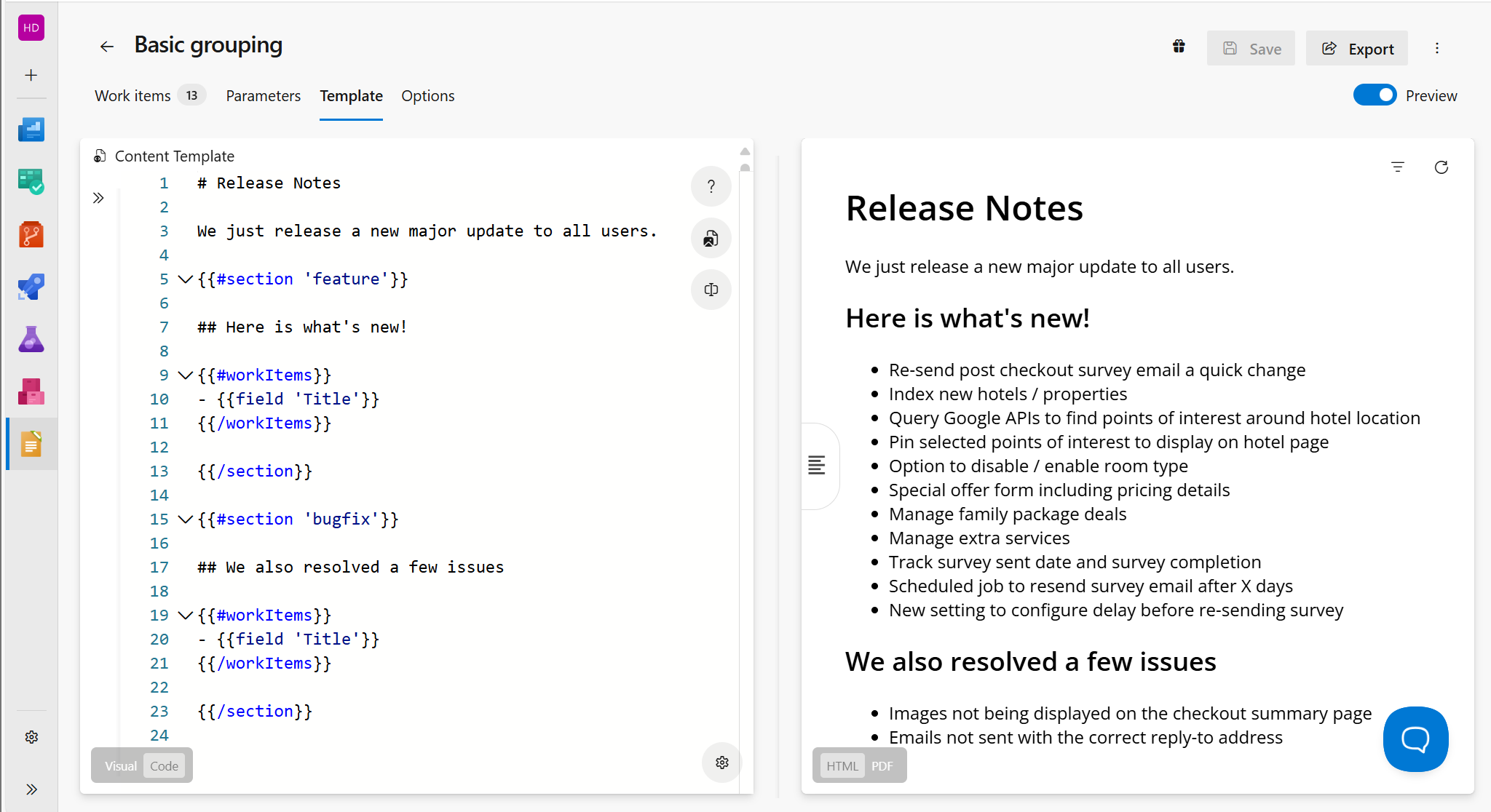
Label rules sort work items into sections such as new features and fixed bugs. The template decides which fields appear and how.
Step 3
Export or publish
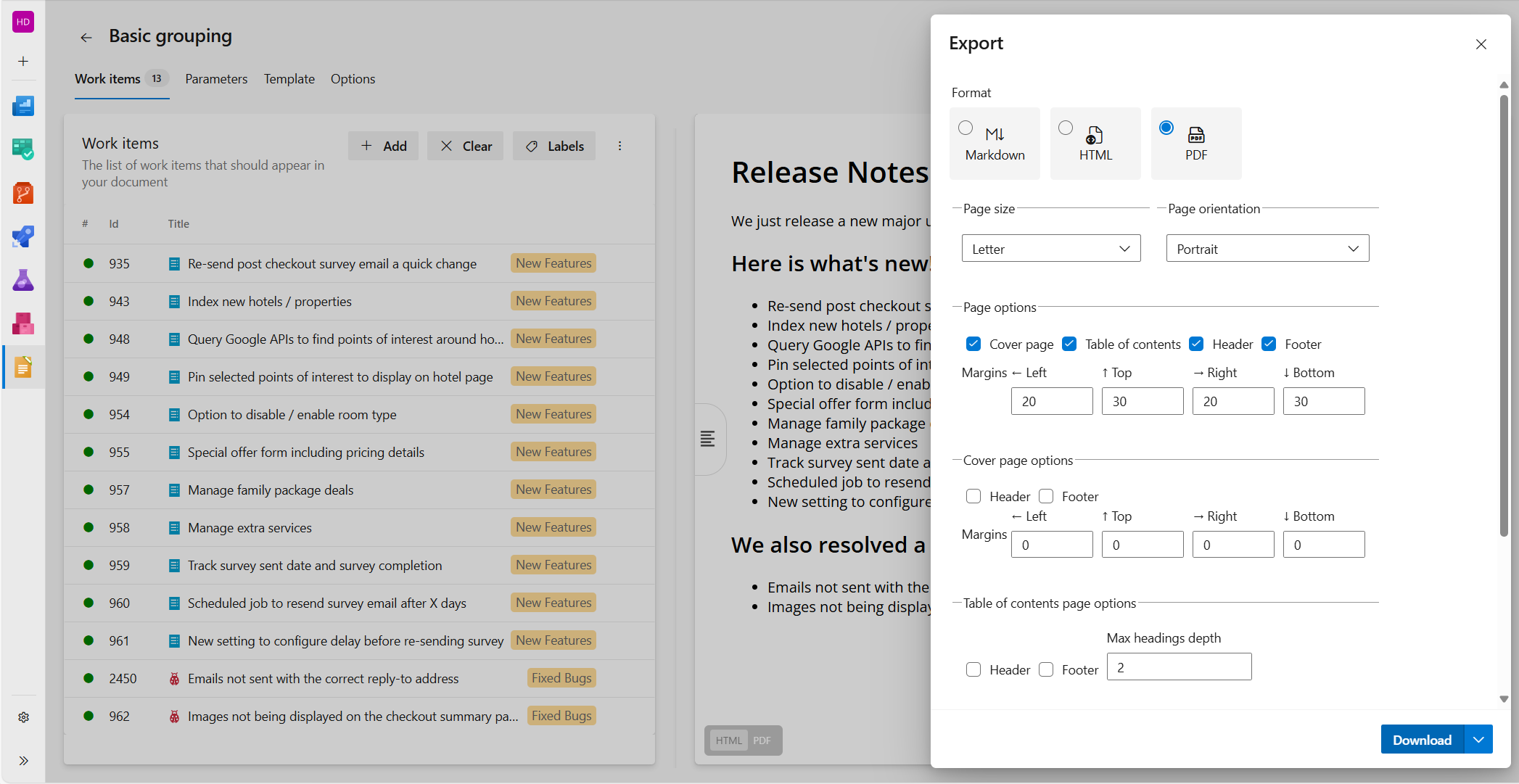
Download PDF, HTML or Markdown, or publish to an Azure DevOps Wiki, a repository, Confluence, email or a Teams channel.
Stop copying work items into Word
Every document that starts with Azure DevOps work items can be generated by Bravo Notes. These are the three most common ones.
Release notes
Internal and customer-facing release notes
Generate release notes from the work items in a build, release, sprint or query. Separate new features from fixed bugs and segment by product area or any custom field you already use for categorization.
See release notes templates →Test reports
Test case checklists and test run summaries
Export test plans, test cases with expected results and attachments, and test run results from Azure DevOps Test Plans as Markdown, HTML or PDF documents for auditors and customers.
How PDF export works →Planning documents
Roadmaps, sprint reviews and requirement documents
Create high-level planning documents from Epics, Features and other work item types. Use multiple templates to match the level of detail to the project stage and the audience.
Template syntax quick start →

Try Bravo Notes free for 30 days
Install the extension from the Visual Studio Marketplace into your Azure DevOps organization. The trial includes every feature, needs no credit card and does not convert into a paid plan automatically.
Loved by teams worldwide
Bravo Notes is rated 4.9 out of 5 across 100 reviews on the Visual Studio Marketplace. Here is what some of our customers say.
Incredible extension, saves so much time as we are able to provide digital release notes and feature documentation for our customers and prospects using DevOps as the source of truth.
Peter ButlerR&D Technical Director at LighthouseHQI've used Bravo Notes by my former employer and now I'm using it again. We're using it to create smooth release notes. Hope to explore the tool a bit more to see what we can automate in the future.
Mark DriessenDynamics 365 Engineer at Robeco
We adopted Bravo Notes about a year ago to publish release notes for our software. It's allowed us to heavily automate our processes and publish our release notes quickly, accurately, and stylishly.
Layne TaylorLead Marketing Specialist at KarmakWe use Bravo Notes for release notes and test reports from DevOps test plans. In both cases it helps us to link the information from DevOps in a neat way to the application (release Notes) or a test report for the customer.
Laurens NoorlandTeam Lead IT at DWG
This tool has saved us about 8 hours per major build compiling notes manually. The team is super responsive and provides great support - our release note template was very complex with about 25 different subsections and the tool was able to handle anything we could throw at it.
Drew ForwardTeam Lead at PCL ConstructionWe've had a fantastic experience with the Bravo Notes product and customer support. Saves a significant amount of time and the release notes have been well received by our audience.
Nik MithaniDirector of Product Delivery at Supreme Lending